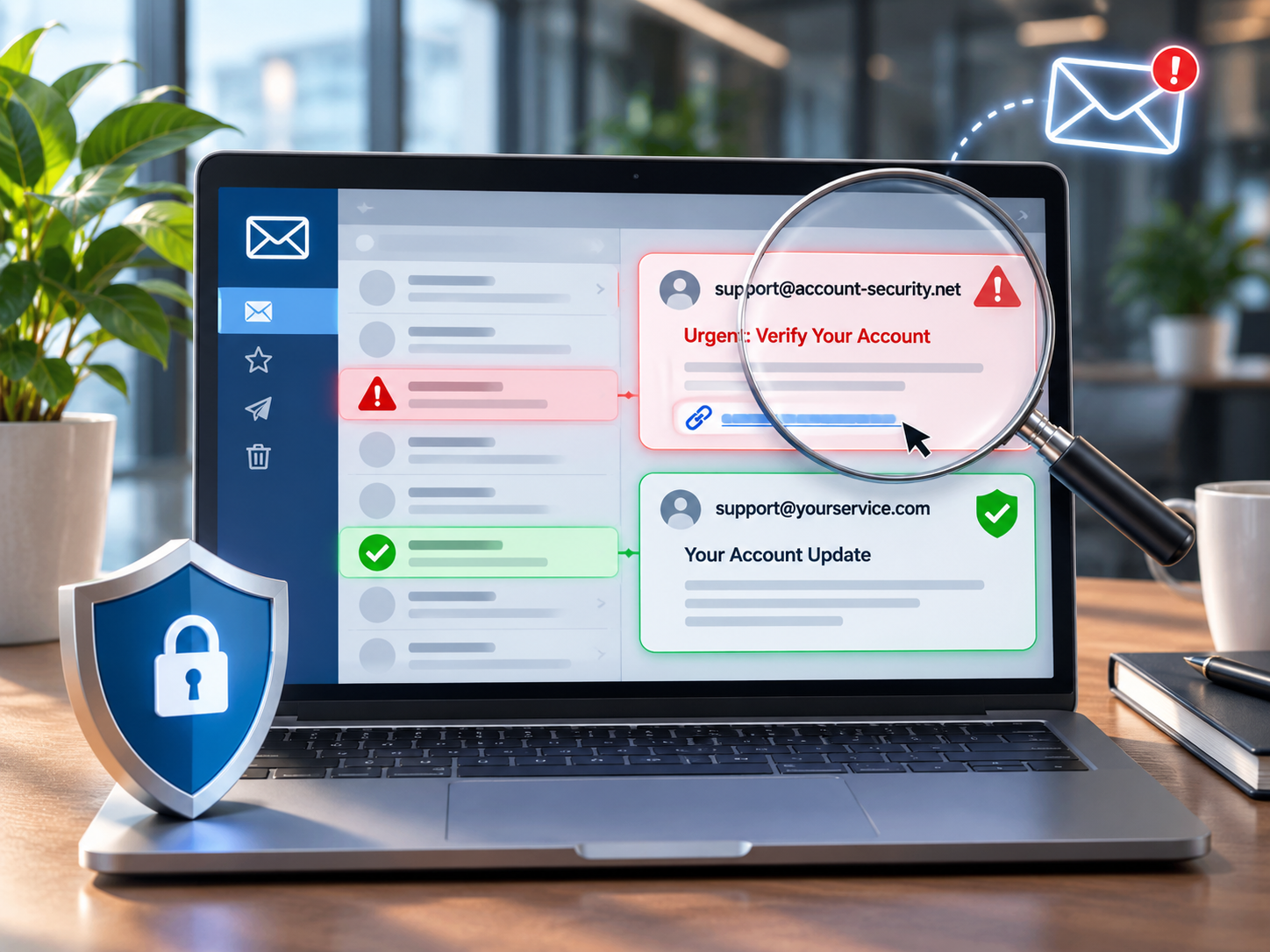
Is that email genuine?
Fake emails are becoming increasingly convincing. Here’s what to look for before you click on a link, open an attachment or make a payment.
One of the questions we’re being asked more frequently by clients is how to tell whether an email is genuine.
It’s a good question, because identifying fraudulent emails isn’t nearly as straightforward as it used to be.
A few years ago, many scam emails were fairly obvious. They were often poorly written, contained spelling mistakes or came from strange-looking email addresses.
That’s no longer necessarily the case.
Today’s scammers can reproduce company logos, email signatures, invoices and even the writing style of people you regularly deal with. AI tools have also made it much easier to create professional-looking messages.
Some fraudulent emails are so convincing that even experienced computer users can have trouble recognising them.
The good news is that there are a few simple things you can check before responding.
What’s the difference between spoofing and phishing?
Although the terms are often used together, they mean slightly different things.
Email spoofing is when someone disguises an email to make it appear as though it has come from a person or organisation you recognise.
For example, you might receive an email that appears to come from Microsoft, your bank, your website hosting provider or even someone within your own company.
Phishing is when someone attempts to trick you into revealing sensitive information, downloading malicious software or taking an action that benefits the scammer.
A phishing email might ask you to confirm your Microsoft 365 password, pay an overdue invoice or click a link to prevent your account from being suspended.
Spoofing is often used as part of a phishing attack. The scammer pretends to be someone you trust to make you more likely to follow their instructions.
1. Check the actual email address, not just the sender’s name
This is probably the first thing I would recommend checking.
When you receive an email, your email program will often display the sender’s name rather than their full email address.
For example, you might see:
Microsoft 365 Support
That looks legitimate, but when you click or tap on the sender’s name to reveal the actual email address, you might discover that the message came from an unrelated domain.
Scammers can put almost anything they like in the display name.
It’s also worth checking the spelling of the domain name itself.
A scammer might register a domain that looks almost identical to a genuine business domain, perhaps by adding an extra letter or substituting one character for another.
These differences can be particularly difficult to notice when reading emails on a mobile phone.
Keep in mind that a genuine email address isn’t an absolute guarantee of safety either. Sometimes a legitimate email account has been compromised and is being used to send fraudulent messages.
2. Be suspicious of emails that create a sense of urgency
One of the most common tactics used in phishing emails is to make you feel that you need to act immediately.
You might receive a message saying:
- Your Microsoft 365 password will expire today.
- Your email account has been suspended.
- Your website hosting is about to be cancelled.
- An invoice is overdue and immediate payment is required.
- Suspicious activity has been detected on your account.
These messages are designed to get you to react before you’ve had time to think about whether the request makes sense.
Of course, legitimate businesses do sometimes send urgent notifications.
The important thing is not to assume that an email is genuine simply because it appears to describe a serious problem.
If you’re concerned about your Microsoft 365 account, for example, open your browser and sign in through Microsoft’s website directly rather than following a link in the email.
That way, you can check whether there really is a problem.
3. Check where links are actually taking you
Another common trick is to disguise a malicious website link so that it appears to lead somewhere legitimate.
An email might contain a button labelled:
View Your Invoice
or
Verify Your Account
The wording might be perfectly reasonable, but the button could take you to a fraudulent website designed to capture your login details.
On a desktop computer, you can usually hover your mouse over a link without clicking it to see the destination address.
On a mobile device, you can often press and hold a link to preview its destination, although the exact behaviour depends on your phone and email app.
Look carefully at the address. Does it actually belong to the organisation that supposedly sent the email?
Be particularly cautious of unfamiliar domains, unusual spelling or links that lead somewhere completely unrelated to the sender.
Remember that even a professional-looking website with a padlock symbol can be fraudulent. The padlock indicates an encrypted connection, not that the website is trustworthy.
If you’re not confident about a link, don’t use it. Visit the organisation’s website directly using an address you already know.
4. Be particularly careful with invoices and changes to bank details
This is one of the more concerning forms of email fraud, particularly for businesses.
You might receive an invoice from a supplier you’ve dealt with for years.
The invoice looks normal. It has the correct company logo, the usual formatting and perhaps even references a legitimate job or purchase.
The only difference is that the bank account details have changed.
In some cases, criminals gain access to a genuine email account and monitor correspondence before inserting themselves into an existing conversation.
This means a fraudulent invoice might even arrive as part of an email conversation you’ve already been having with your supplier.
My recommendation is simple: if a supplier emails you advising that their bank details have changed, telephone them to confirm the change before making a payment.
Use a telephone number you already have on file or obtain independently from a trusted source, rather than relying on the number provided in the email.
This small precaution can prevent a very expensive mistake.
5. Don’t assume an email is genuine because it looks professional
It’s important to understand that the appearance of an email tells you very little about whether it’s genuine.
Scammers can easily copy:
- Company logos and branding
- Email signatures and contact details
- Website addresses and business information
- Invoice layouts and payment instructions
- The names of people within an organisation
They can also create convincing messages that are free from the spelling and grammatical mistakes we used to associate with scam emails.
An email that looks completely professional can still be fraudulent.
And an email that appears to come from someone you know should still be checked if the request is unexpected or unusual.
6. Watch out for unexpected attachments and QR codes
Not every phishing attempt involves clicking a traditional website link.
Some emails contain attachments that claim to be invoices, purchase orders, delivery documents or financial statements.
Others contain QR codes that you’re instructed to scan using your phone.
These can lead to malicious websites or attempt to get you to disclose confidential information.
If you weren’t expecting a document, particularly one that asks you to enable content, install something or sign in to view it, check with the sender before opening it.
The same applies to QR codes in emails. Don’t assume they’re safer simply because they don’t look like ordinary links.
7. What should you do if you’re not sure?
If something about an email doesn’t seem right, there’s no need to panic.
A few simple precautions can make a substantial difference.
Don’t click anything until you’ve checked it.
Contact the sender another way. If the message appears to come from someone you know, telephone them using a number you already trust.
Sign in directly. If an email claims there’s a problem with an online account, visit the provider’s website yourself rather than using the email link.
Never disclose passwords or verification codes. A legitimate support provider should not need you to email them your password or one-time authentication code.
Report suspicious emails. Most email services, including Gmail and Microsoft Outlook, provide options to report phishing messages.
If you’ve already entered your password into a suspicious website, change it immediately through the genuine service, check your account security and contact your IT provider. If you’ve transferred money, contact your bank immediately.
It’s also a good idea to have multi-factor authentication enabled wherever possible, particularly for email and financial accounts.
8. What about your own business email security?
There’s another side to this problem that business owners should be aware of.
It’s not just about protecting yourself from fraudulent emails. It’s also about reducing the likelihood that criminals can impersonate your business and send fraudulent messages to your customers.
There are several email security technologies, including SPF, DKIM and DMARC, that help receiving email systems determine whether messages have been sent by authorised servers.
When properly configured, these can make it much harder for someone to impersonate your business email domain.
They won’t eliminate every type of phishing attack, particularly those involving lookalike domains or compromised email accounts, but they’re an important part of protecting your business and its reputation.
If your business uses its own domain name for email, it’s worth making sure these protections have been configured correctly. We explain how they also affect whether your emails reach the inbox in Email Deliverability: Cyber’s Ninja Power.
Is your business email domain protected?
Our free email security check looks at your domain’s public email security records, including SPF and DMARC, and gives you a score out of 100 in a couple of minutes.
Check your email security »Common questions
What is the difference between spoofing and phishing?
Email spoofing is when someone disguises an email so it appears to come from a person or organisation you recognise. Phishing is when someone tries to trick you into revealing sensitive information, downloading malicious software or taking an action that benefits the scammer. Spoofing is often used as part of a phishing attack.
How can I tell if an email is genuine?
Check the actual email address, not just the sender's name. Be wary of urgent requests, check where links really go before clicking, and confirm any change to bank details by phoning the supplier on a number you already have. If you are not sure, verify the email independently before doing anything else.
What should I do if I have clicked a phishing link?
If you entered your password into a suspicious website, change it immediately through the genuine service, check your account security and contact your IT provider. If you transferred money, contact your bank immediately.
Do SPF, DKIM and DMARC stop phishing?
When properly configured, SPF, DKIM and DMARC make it much harder for someone to impersonate your business email domain. They will not stop every phishing attack, particularly those using lookalike domains or compromised email accounts, but they are an important part of protecting your business and its reputation.
A final thought
Email remains one of the most common ways we communicate with customers, suppliers and colleagues, and that makes it an attractive target for scammers.
The difficulty is that fraudulent emails are becoming more sophisticated, and we can’t rely on spotting spelling mistakes or poor formatting anymore.
You don’t need to become a cyber security expert to protect yourself.
The most useful habit you can develop is to question unexpected requests, particularly those involving passwords, money, account access or urgent action.
If you’re not sure whether an email is genuine, verify it independently before doing anything else.
Taking an extra minute to check could save you or your business a considerable amount of trouble.
If you have concerns about the security of your business email or you’re unsure whether your domain has the appropriate email protections in place, feel free to contact us at Joomstore. We’re happy to help you understand what needs attention.


